
- Welcome to Boarding
- Key Dates
- Sleepover and Induction
- Key Contacts
- Boarding Policies
- Boarders’ Handbooks
- Packing List
- Uniform Shop
- Aspire, our Parent Portal
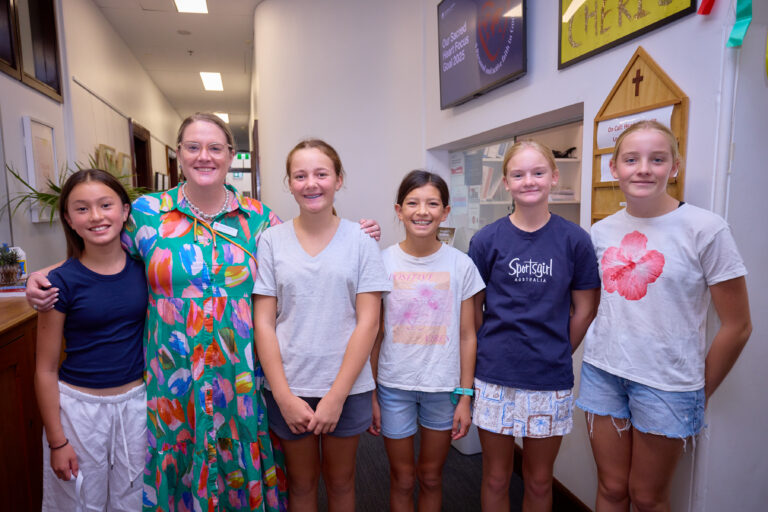
Dear Parents,
It is my great privilege to welcome you and your family to the KRB Boarding community.
Boarding is a unique opportunity for young people to discover more about themselves, develop independence, build meaningful friendships, and embrace new experiences. At KRB, every boarder is encouraged to explore her gifts and talents, participate fully in community life, and make the most of the many opportunities available throughout her boarding journey.
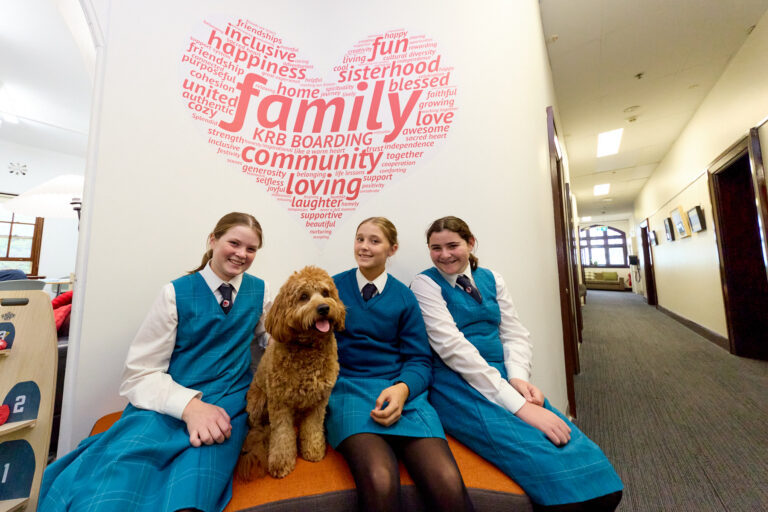
Our boarding community is founded on the belief that every girl should feel seen, heard, known, loved and valued. We are committed to creating a home where students feel safe, supported, and empowered to grow into the very best version of themselves.
The boarding experience is enriched by the care and dedication of our staff, the leadership of our students, and the strong partnerships we share with families. Together, we foster a culture of respect, kindness, responsibility, and genuine connection.
Whether your daughter is joining us for the first time or returning to familiar faces, we are delighted to have her as part of our boarding family. We look forward to celebrating achievements, navigating challenges together, and supporting each student as she grows in confidence, character, and independence.
At KRB Boarding, our commitment is to ensure every girl feels welcomed, accepted, respected, and supported throughout her time with us. We are honoured to walk alongside our students during this important chapter of their lives and look forward to sharing a journey filled with growth, friendship, hope, and joy.
Welcome to KRB Boarding.
Mrs Danielle Fairthorne
Director of Boarding
Key Dates
Tuesday 20 October 2026: New Year 7 Boarders 2027, Teams meeting 5pm
- Boarders starting Year 7 in 2027 will meet online with current Year 7s to start the induction process.
- A Teams link will be shared with families in the week prior to this meeting.
Thursday 29 October 2026: New Year 7 Boarders 2027, Teams meeting 6.30pm
- Boarders starting Year 7 in 2027 will meet online with current Year 7s to continue the induction process.
- A Teams link will be shared with families in the week prior to this meeting.
Wednesday 4 November 2026: New boarders entering Years 8 to 11 in 2027, Teams meeting 6.30pm
- Boarders starting Year 8 – 11 in 2027 will meet online with current boarders to start the induction process.
- A Teams link will be shared with families in the week prior to this meeting.
Friday 13 November 2026: New Boarders sleepover
At 2.45pm:
- Current KRB Boarders will accompany 2027 Boarders to the Boarding Orientation Program, including dinner and a sleepover in the Boarding House.
Saturday 14 November 2026
Boarding Students – Walk around the local area finishing at Watsons Bay
Boarding Parents – Breakfast and Information Session with Boarding Staff
- 9.00am to 10.30am – Breakfast and information session
Collection – Boarders can be collected by their parents at 10.30am.
Tuesday 26 January 2027
Staff Day
Year 7 Boarders arrive to the dorms from 4.00pm – 6.00pm
Wednesday 27 January 2027
All new Years 8 to 11 Boarders return from 10.30am – 12.00pm
Welcome BBQ for new and current boarding students and families (invitation to follow)
Thursday 28 January 2027
Classes commence for all students
Saturday 30 January – Monday 1 February 2027
Compulsory Boarders in weekend – no leave allowed outside of sporting commitments.
Sleepover and Induction
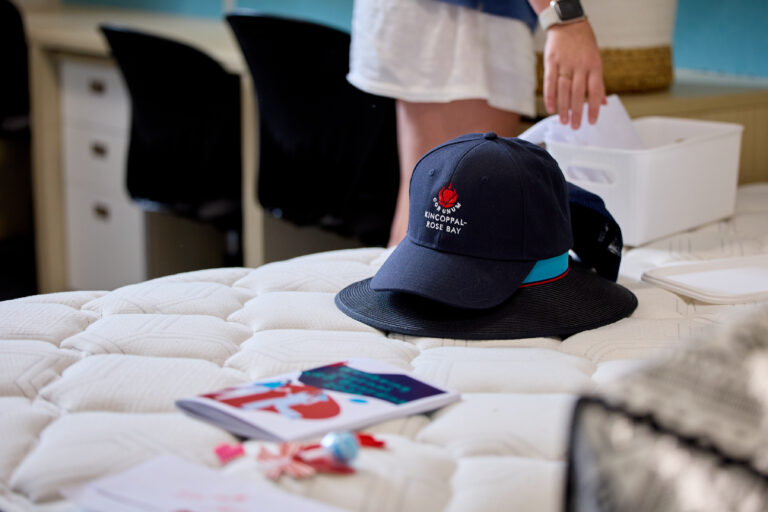
A key part of the Boarding experience is our sleepover for new boarders. This event is widely anticipated in our Boarding community and helps all new boarders settle into boarding life into our Boarding community. Boarders will be engaged in various activities that support them in learning more about our Boarding routine, getting around the local area and using public transport.
Packing list:
- Pillow
- Sleeping bag
- Towel
- Pyjamas
- Toiletries
- Walking shoes
- Casual clothes for Friday evening and Saturday. (*Boarders will be going on a walk on Saturday morning so pack accordingly)
- Sleep aids (soft toy, eye mask)
- Any necessary medications
Mobile phones are not needed for the sleepover; all parents can contact their daughters on the school Boarding phone.
Any mobile phones brought to the sleepover will be collected by boarding staff.
All personal prescribed medications will be collected by the Boarding staff and school nurses on Friday afternoon. Please ensure they are clearly labelled in your daughter’s bag.
Key Contacts
| Staff member and role | Contact |
| Danielle Fairthorne – Director of Boarding | fairthorned@krb.nsw.edu.au |
| Michelle Johns – Head of Woodward House (Years 7 and 8) | johnsm@krb.nsw.edu.au |
| Louise Chiandotto – Head of Jackson House (Years 9 and 10) | chiandottol@krb.nsw.edu.au |
| Louise FitzGerald – Head of Sheldon House (Year 11 and 12) | fitzgeraldl@krb.nsw.edu.au |
| Boarding Administrator | bsreception@krb.nsw.edu.au |
| Danielle Harris – Manager of Health Care | harrisd@krb.nsw.edu.au |

Boarding Policies
At KRB we are dedicated to ensuring our school is well managed and provides a safe, fair and positive environment for all our staff, boarders, parents and community members.
Boarders’ Handbooks
Packing List
The following is a list of clothing, bedding and personal items for boarders at Kincoppal-Rose Bay School.
- Underwear x 6-8 sets
- Pyjamas x 2
- Slippers (Ugg boots or equivalent for winter)
- Dressing gown/robe – required.
- Bath towels x 2
- Down or feather filled doona x 1
- Summer weight blanket
- Doona cover x 2
- Sheets (single bed) x 2
- Pillow
- Pillowcases x 2
- Shoe cleaning kit x 1 (with ‘Nugget’ or equivalent)
- Coat hangers x 12
- A raincoat and folding umbrella
- Boarder Fleece
Toiletry Items
- Soap, hair shampoo, deodorant, toothbrush, toothpaste and sanitary items.
Other Clothing
- Sufficient, but not excessive, quantities of personal clothing. As limited space is available in the Boarding School, please do not bring an unlimited supply of clothes to wear after school and on weekends. This also applies to shoes.
- All casual clothing should be of a standard suitable to wear and to be laundered in the Boarding House.
- Appropriate clothing and footwear for Mass, outings and socials should be included.
Packing List – Other Recommended Items
- Shower caddy (basket from Kmart)
- Shower shoes
- Alarm clock
- Washing detergent (powder)
- Spare stationery and school supplies (saves you going to the shops weekly and cheaper at home)
- Activities for weekends (books for reading, colouring, sudoku, favourite board games, cards)
- Eye mask
- Ear plugs
- Comfort snack from home
- Teddy
- Book clip lamp (small battery light)
- Casual clothes to walk around the School in (not pyjamas)
Uniform Shop for Boarders
The KRB Uniform Shop provides new uniform items and a selection of quality second-hand pieces.
Location: On campus
Email: krbshop@krb.nsw.edu.au
Phone: +61 2 9388 6046
As boarders the students can attend the uniform store for purchases and sign for the items and then the amount is added to your account. This service is only available term 1-3 due to all accounts being finalised by the term 4. The students will need to purchase any additional required uniform in term 4 with a card.
New Families to KRB – Appointments prior to the 2027 school year
There is very high demand for pre-Term 1 uniform assistance, so please consider finalising your needs in Term 4 if possible. If choice of size is a concern for purchase in Term 4, please note that items can be exchanged later as long as original labels remain intact.
If siblings currently attend KRB, please arrange uniform purchase in Term 4.
Appointments Only – reserved for families NEW to KRB
- Monday 18 January : 9.00am – 3.30pm
- Tuesday 19 January : 9.00am – 3.30pm
- Wednesday 20 January : 9.00am – 3.30pm
Appointments Only – open to all, new and current families
- Thursday 21 January : 9.00am – 3.30pm
- Friday 22 January : 9.00am – 3.30pm
- Monday 25 January : 9.00am – 3.30pm
- Wednesday 27 January : 8.00am -3.45pm
- Thursday 28 January : 8.00am -3.45pm
Tuesday 26 January – CLOSED due to Australia Day Public Holiday
Opening Hours (during Term)
From Thursday 28 January (first day of Term 1) the Uniform Shop is open each Tuesday and Thursday from 8am – 3.45pm.
- Tuesday: 8.00am – 3.45pm
- Thursday: 8.00am – 3.45pm
The shop is open to students, parents, caregivers and staff during these hours.
Please note: Recess and lunchtime can be busy.
The shop also opens on the working day prior to each term commencing and on the first day of term.
Appointments and Ordering
Appointments can be made by calling Natalie Tonga, the Uniform Shop Manager, on 02 9388 6046 or emailing an appointment request to krbshop@krb.nsw.edu.au
Appointments are in 30-minute blocks, with two students booked in each block.
Orders by Email
You are very welcome to order uniform items by emailing your requirements to the Uniform Shop. This is an efficient way to purchase if you know the items and sizes you need. A payment link will be sent to you.
Once payment is made, the goods will be ready for pick up. This purchase method is available throughout term time.
Email Orders:
- Measure your child (sizing charts attached on Aspire).
- Complete and email the order form or list the items (including size and quantity) in the body of the email.
- You will receive a payment link to pay via credit card (Amex not accepted).
- Once payment is made:
- Senior School: goods available for collection.
- Junior School and Early Years: goods delivered to classrooms.
Payment
- Credit card payments only (Amex not accepted, even if it appears as an option).
Stock and Special Notes
- Shoes: Black school shoes must be purchased elsewhere – not stocked at the shop.
- Hair Accessories:
- Early Years–11: White only.
- Year 12: Red only (available in the shop).
- Second-Hand Uniforms: a limited selection is available depending on supply.
Returns and Exchanges
Items unworn and with original tags in place can be exchanged for size, or refunded, where appropriate.
KRB Senior School Uniform Requirements
Years 7–10
- Summer (Terms 1 and 4): Summer dress, jumper (if needed), white fold-over socks, black shoes, blazer (when required).
- Winter (Terms 2 and 3): Winter tunic, white long-sleeved shirt, tie, jumper, blazer, black stockings, black shoes.
Years 11–12 (all year round)
- Skirt, blouse, cardigan, blazer, white fold-over socks.
- Winter: black stockings, scarf.
- Black shoes.
Boarding
KRB Parent Portal, Aspire
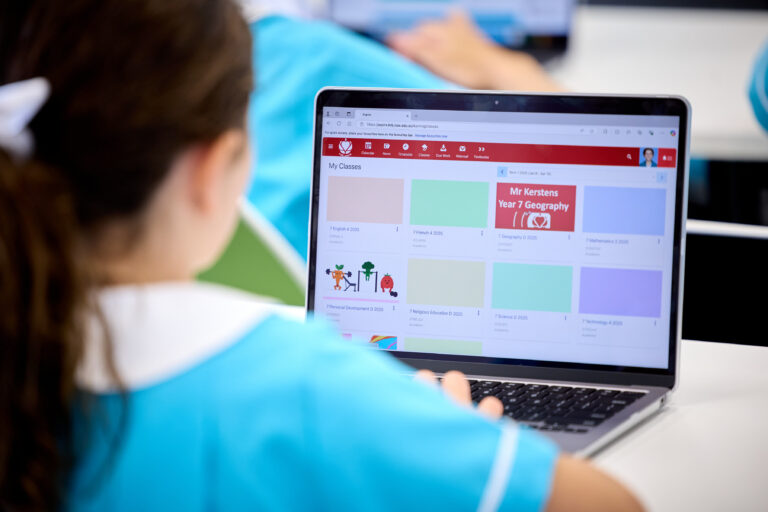
At Kincoppal-Rose Bay School, Aspire is your central hub for staying connected with your child’s learning and the life of our school. It is designed to make communication seamless and to strengthen the partnership between home and school.
Please refer to this guide when you receive your personal Aspire log in details in January 2027.
Key Features of Aspire
- Personalised Communication
All school communication is delivered through Aspire. News notifications are tailored to you, ensuring you only receive updates relevant to your child and family. - Your Child’s Profile
Access your child’s information at any time, including academic reports, learning progress, and sporting participation. - School Calendar
Stay up to date with important dates, events, and activities through the integrated school calendar — all in one place. - One Login, All Access
Aspire provides one secure login to everything you need, customised exclusively for your family. You’ll see updates specific to each of your children, alongside news and information shared with the wider KRB community.
Aspire is more than just a portal — it is a dynamic platform that enables parents to communicate, collaborate, learn, and create alongside the school. With Aspire, you are always connected, always informed, and always part of your child’s KRB journey.
How to Use Aspire at KRB
Aspire is KRB’s central hub for communication, learning, and parent engagement. This guide will walk you through everything you need to know.
1. Accessing Aspire
- Go to: https://aspire.krb.nsw.edu.au
- Enter your unique username and password provided by KRB.
- Your personalised Aspire homepage will appear.
- Via Mobile: Download or update the KRB App from the Apple or Google Store to connect directly to Aspire.
2. Logging In
- Username: surname+ID
- Password: Your registered KRB password.
- If you forget your details, click “Can’t Access your account?” under the login box.
- Still stuck? Email: krbapp@krb.nsw.edu.au for help.
3. Managing Notifications
- Click your name/profile icon in the left menu.
- Select Settings → Message Settings.
- Choose how you’d like to be notified:
- Muted: No notifications
- Instant: Notification bell inside Aspire
- Mobile: Alerts via the KRB App
- Email: Alerts to your registered email
- To receive notifications about assessment feedback, ensure the bell and email icons are both selected.
4. Updating “My Details”
- Click My Details in the top menu or Parent Dashboard.
- Update:
- Contact details
- Child’s medical information
- Financial information with KRB
- Select your child’s name from the dropdown to update:
- Personal details
- Medical and emergency contacts
- Legal (photo permissions)
- Census details
- Click Edit → Save.
- Updates are reviewed and approved by KRB.
5. Viewing Class Lists (Parent Contacts)
- Go to My Details → Parent Contacts.
- Review the contact information you are sharing.
- Only details with a “tick” are visible to other parents.
- You must share at least one detail to view others.
- To print: select Print View → Right click → Print.
- Repeat for each child if you have more than one enrolled.
Note: Lists are for school-related use only.
6. Photography Consent
- Go to My Details → Legal tab.
- Default = Permission granted.
- To opt out: Click Edit → Untick boxes → Save.
7. Parent Dashboard Overview
When you log in, you’ll see:
- Top Menu: Calendar, News, My Details, Search, Notifications.
- Tiles: Strategic Plan, Events, Uniform Shop, Sport, Payments.
- My Students: Timetable, Calendar, Due Work, Grades, Reports.
- News and Updates: From your child’s Year Coordinator, Principal, and KRB social media.
8. Using the KRB App
- The new KRB App connects directly to Aspire.
- Features: News, Calendar, Notifications.
- Use Aspire on the web for changes to details (e.g. medical or contact info).
- Make sure you update to the latest version of the App – old versions no longer send notifications.
9. What Parents Will See
- News specific to your family
- Your child’s profile (academic, sporting, co-curricular)
- School calendar in one place
- Personalised dashboard linking you to everything you need
With Aspire, you are a partner in your child’s learning journey—connected, informed, and supported every step of the way.